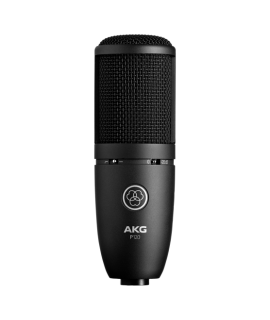
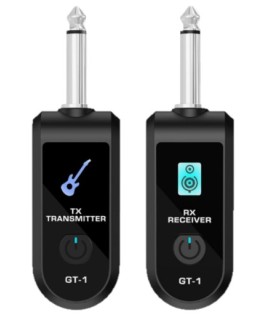
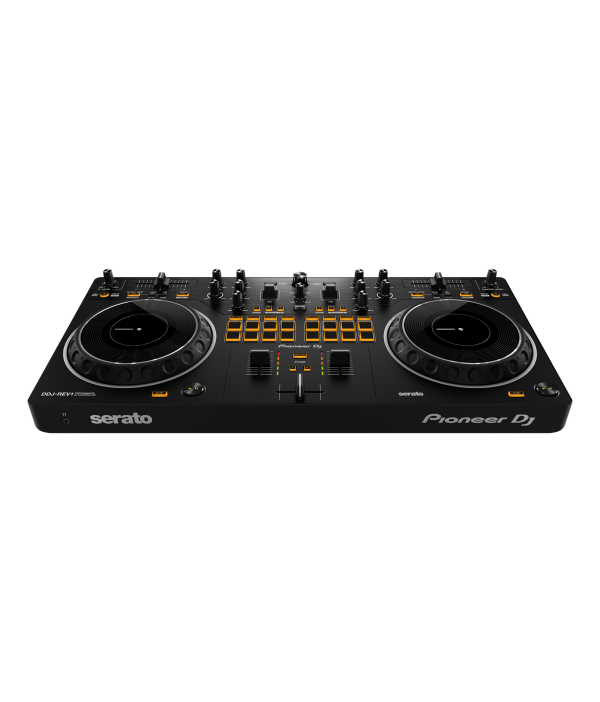
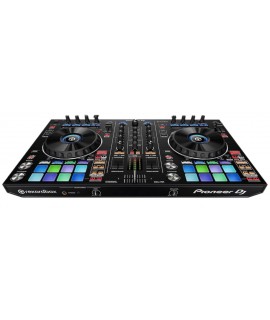
DDJ-REV DJ 控制器系列是開放格式和臨時 DJ 的理想解決方案,因為它模擬專業 DJM-S混音器和 PLX 轉盤設置。
- The DDJ-REV DJ Controller Series is an ideal solution for open-format and scratch DJs as it emulates a professional DJM-S mixer and PLX turntable setup.
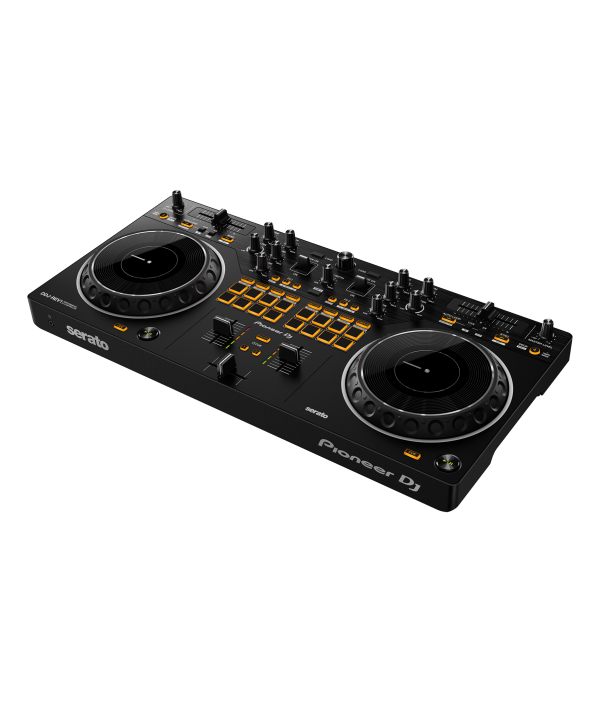
- 有史以來第一次在 Pioneer DJ 控制器上,速度滑塊水平放置在卡座部分的頂部以鏡像 PLX戰鬥配置中的轉盤,而 Performance Pads 和 Lever FX 撥片位於混音器部分,與 DJM-S 系列混音器設計平行。
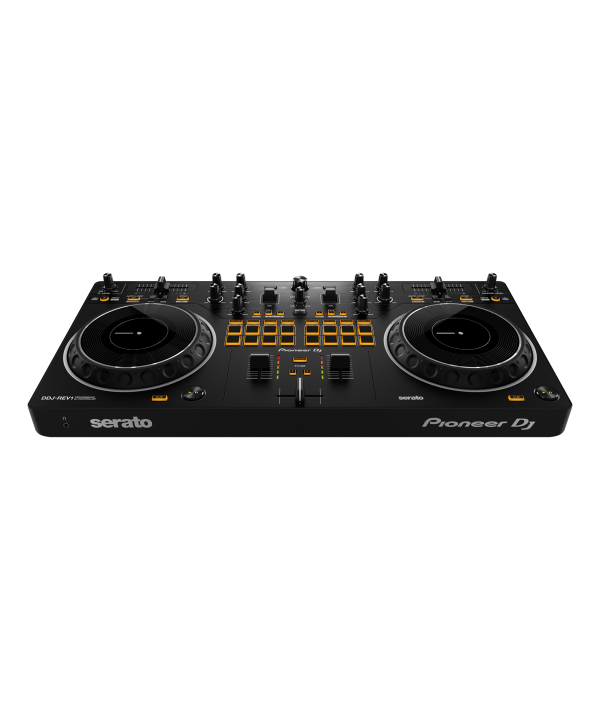
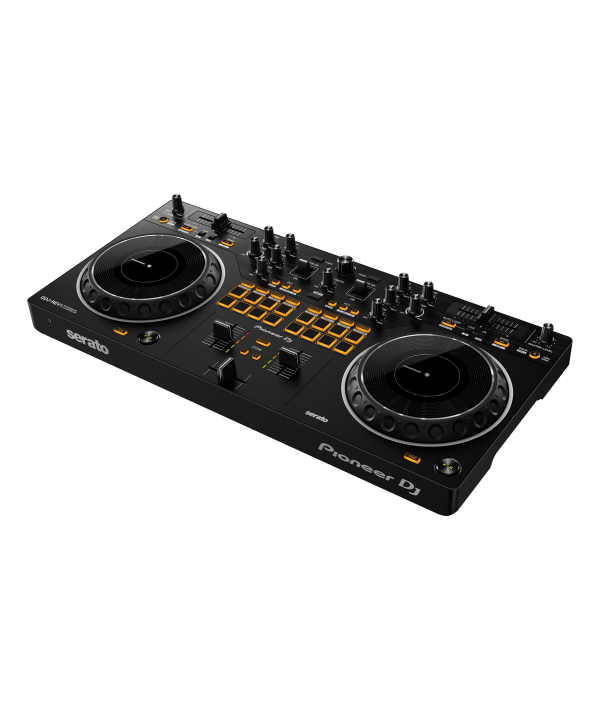
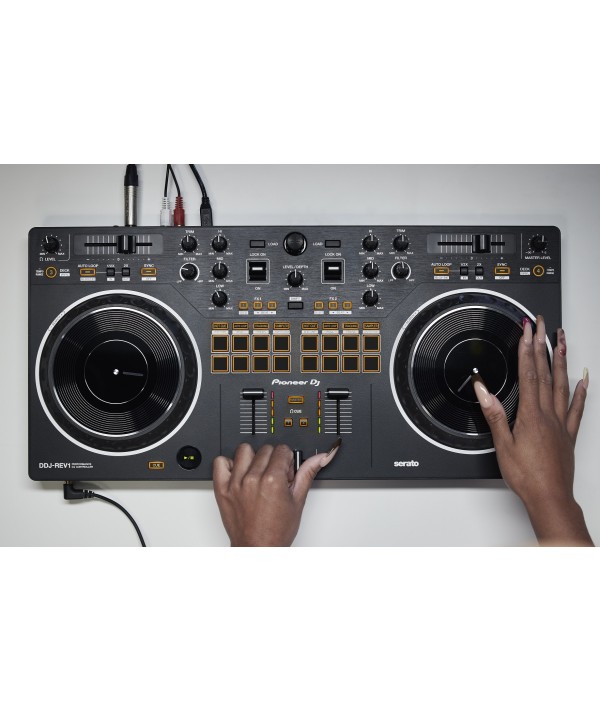
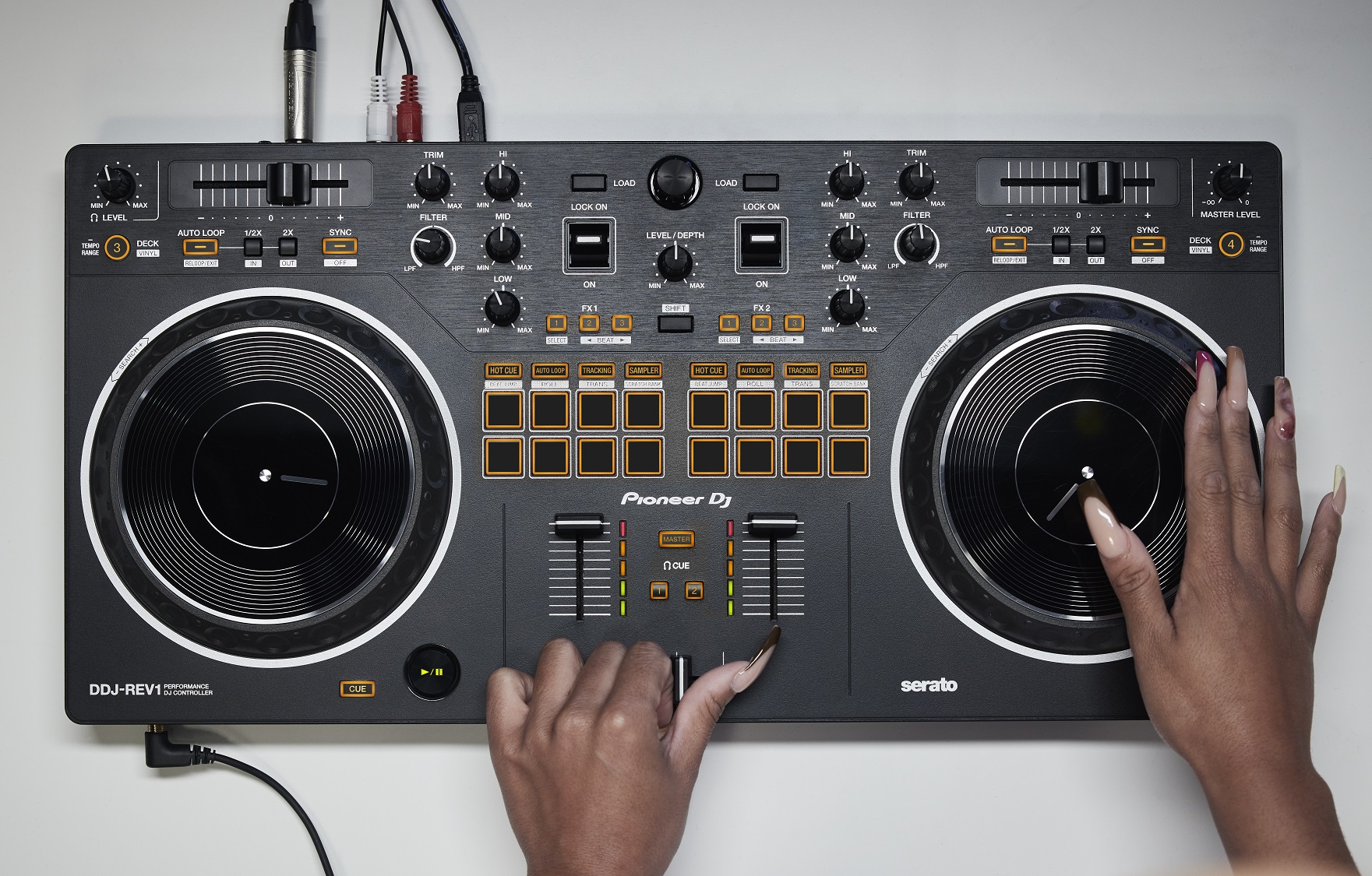
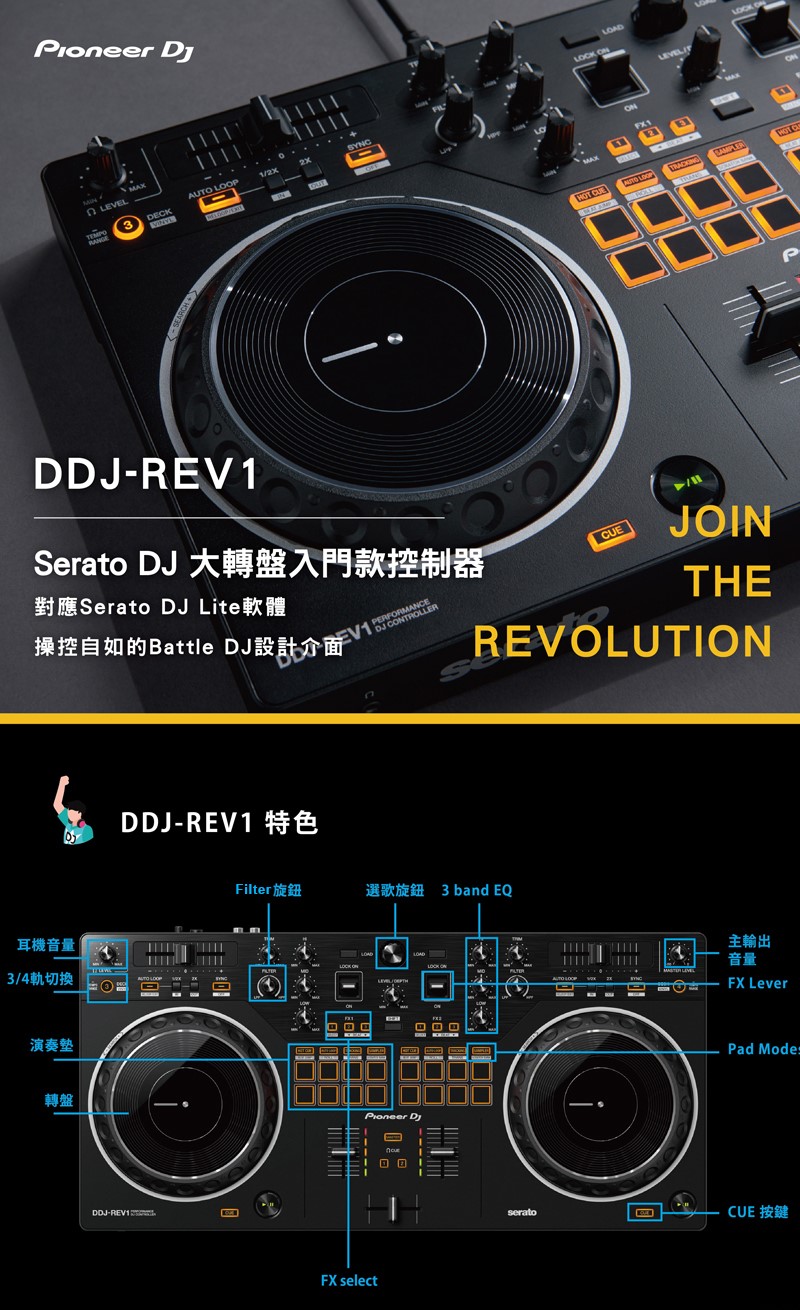
- For the first time ever on a Pioneer DJ controller, the tempo sliders sit horizontally on the top of the deck sections to mirror PLX turntables in a battle configuration, while the Performance Pads and Lever FX paddles sit in the mixer section to parallel the DJM-S Series mixer design.
- 全新的 DDJ-REV1 具有寬敞的佈局來測試新的混音技術,以及可從頭開始的緩動輪,明顯比 Pioneer DJ 以前的初學者級別控制器上的緩動盤大。
- The all-new DDJ-REV1 features a spacious layout to test out new mixing techniques, and scratch-ready jog wheels, which are noticeably larger than jogwheels on Pioneer DJ’s previous beginner level controllers.
- 控制器是考慮學習如何戰鬥、刮刮和流式傳輸的藝術家的理想工具包入門部件。
- The controller is an ideal kit starter piece for artists considering learning how to battle, scratch and stream their sets.
- Artists can begin scratching right away with the controller’s Tracking Scratch feature. Tracking Scratch enables artists to automatically return the track to its cue point by moving the jog wheel backward or taking their hand away from the controller—removing the need for crossfader use or jog wheel wind back.
- 藝術家可以選擇他們想要的 Scratch Crossfader Cuts 模式,方法是按下相關的 Performance Pad 並將慢跑向前推到 Scratch。此外,藝術家可以使用控制器的 Performance Pads 立即觸發加載到 Serato DJ Lite Scratch Bank 中的他們最喜歡的樣本或音軌——這是以前僅在 Serato DJ Pro 中提供的功能。
- Artists can choose their desired Scratch Crossfader Cuts pattern by pressing the relevant Performance Pad and pushing the jog forward to scratch. In addition, artists can use the controller’s Performance Pads to instantly trigger their favorite samples or tracks loaded on the Serato DJ Lite Scratch Bank—a feature previously only available in Serato DJ Pro.
- 控制器還具有 Deck 3/4 Control 功能,允許藝術家在軟件中播放來自所有四個卡座的聲音。 Pioneer DJ 的 DDJ-REV1 控制器使藝術家可以輕鬆地將語音和人聲集成到他們的社交媒體直播中。
- The controller also features Deck 3/4 Control, allowing artists to play sounds from all four decks in the software. Pioneer DJ’s DDJ-REV1 controller makes it easy for artists to integrate speech and vocals into their sets for social media livestreams.
- Unlike previous controllers which require an external soundcard or mixer, artists simply plug their microphone into the DDJ-REV1 and the vocal audio goes straight to their laptop and into the stream.
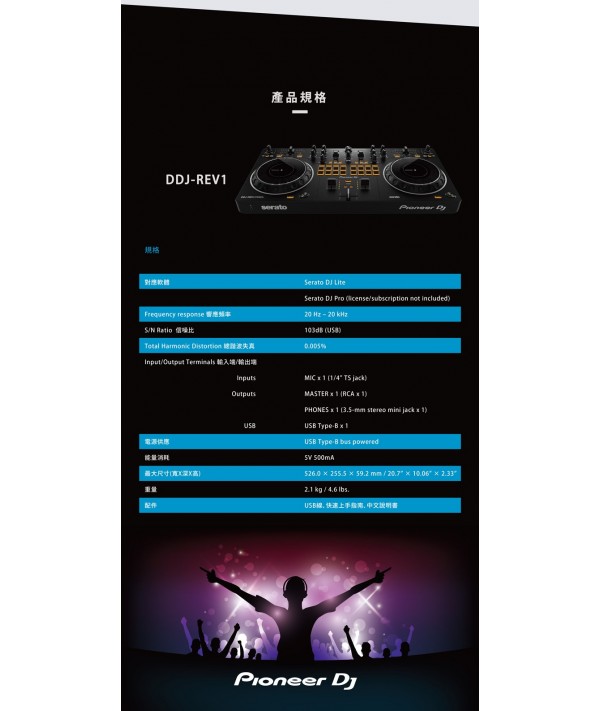
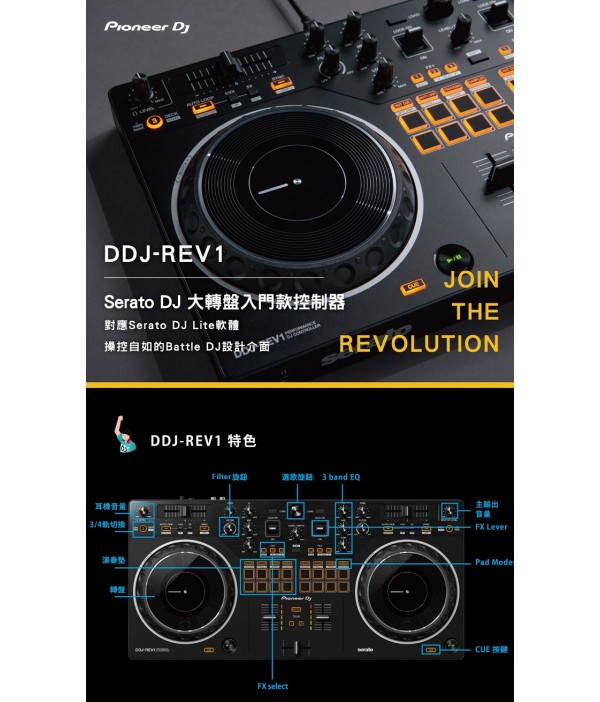
【Pioneer DJ】DDJ-REV1 Serato DJ 大轉盤入門款控制器
DDJ-REV1
JOIN THE REVOLUTION
The DDJ-REV DJ Controller Series is an ideal solution for open-format and scratch DJs as it emulates a professional DJM-S mixer and PLX turntable setup. For the first time ever on a Pioneer DJ controller, the tempo sliders sit horizontally on the top of the deck sections to mirror PLX turntables in a battle configuration, while the
Performance Pads and Lever FX paddles sit in the mixer section to parallel the DJM-S Series mixer design.
The all-new DDJ-REV1 features a spacious layout to test out new mixing techniques, and scratch-ready jog wheels, which are noticeably larger than jog wheels on Pioneer DJ's previous beginner level controllers. The controller is an ideal kit starter piece side con for artist learning how to battle, scratch and stream their sets.
Artists can begin scratching right away with the controller's Tracking Scratch feature. Tracking Scratch enables artists to automatically return the track to its cue point by moving the jog wheel backward or taking their hand away from the controller—removing the need for crossfader jog wheel or wind back. Artists can choose their desired Scratch Crossfader Cuts pattern by pressing the relevant Performance Pad and pushing the jog forward to scratch. In addition, artists can use the controller's Performance Pads to instantly trigger their favorite samples
or tracks loaded on the Serato DJ Lite Scratch Bank—a feature previously only available in Serato DJ Pro. The controller also features Deck 3/4 Control, allowing artists to play sounds from all four decks in the software.
Pioneer DJ's DDJ-REV1 controller makes it easy for artists to integrate speech and vocals into their sets for social media livestreams. Unlike previous controllers which require an external soundcard or mixer, artists simply plug their voudioV microphone J-go cal into the DD1 straight to their laptop and into the stream.
REV1
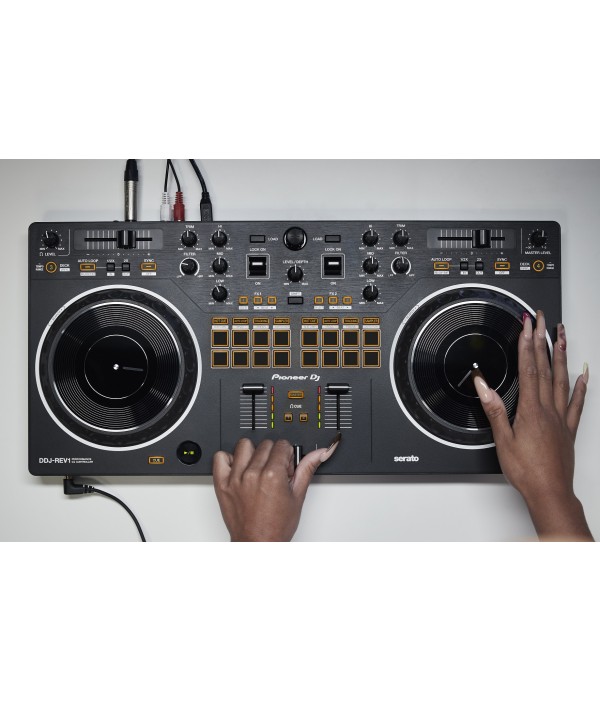
Brand-new battle-style layout
Get hands-on with an interface designed to emulate 2 x PLX turntables and a DJM-S series mixer – the kind of setup used by pro battle DJs. There's plenty of space to perform mixing and scratching techniques thanks to the new arrangement of the controls on the DDJ-REV1. The tempo sliders are 60mm – longer than those on the DDJ-SB3 to give you finer control – and they run horizontally above the decks while the Performance Pads have been moved into the mixer section so you can intuitively combine effects , trigger samples, and scratch your tracks.
REV1
Mixed microphone audio: Easily add your voice while you’re streaming
For the first time in a Pioneer DJ controller at this level, the output of the master audio is mixed with the sound from the microphone if you have one plugged in. This means you don't need any external equipment such as a soundcard or separate mixer if you want to add speech or vocals to your performance and route it through your computer. All sounds are sent to Serato DJ Lite so you can stream from there.
Scratch-style 2-channel DJ controller
REV1
REV1
REV1
REV1
Bigger jog wheels
The bigger the jog wheels, the better for scratching. The jogs on the DDJ-REV1 are the same size as the ones on the DDJ-SR2, a popular controller that’s higher up in our range.
Lever FX
Dynamically add texture to the music with Lever FX. Pull the levers down and hold them to apply effects from Serato DJ Lite in short bursts or push them up to lock on effects and free up your hands for scratching or track browsing.
Tracking Scratch: Get a helping hand with scratching
The Tracking Scratch feature silently takes the music back to the cue point the moment you move the jog wheel from backward to forward or lift your hand away – saving you from closing the fader and finding the right place in the music to start the scratch again. All you need to do is to select the Tracking Scratch Pad mode, press a Performance Pad to choose the Scratch Crossfader Cuts pattern you want to use, then start moving the jog.
Deck 3/4 control
Play tracks and sounds loaded on any of the 4 decks in Serato DJ Lite and Plug your DDJ-REV1 into your PC/Mac and start DJing – there’s no need to install an audio driver.






 HK$598
 HK$398
 HK$798
 HK$1,980
 HK$298
 HK$298
 HK$480
 HK$1,180
 HK$2,280
 HK$6,900
 HK$3,180
 HK$5,800
 HK$5,800
 HK$8,800
 HK$598
 HK$798
 HK$1,480
 HK$15,980
 HK$13,980
 HK$19,980
 HK$9,980